Please verify that the core features of Screen Mirroring and iOS Device control are working for you before you purchase it. The core features are free for three days from download. This feature is a beta release in version 1.40. Do let me know if you run into issues.
I developed Screen Mirror as a Privacy Focused application. I wrote it for myself, and it feels great knowing that there are others who like it.
Why I developed the Screen Mirror App?
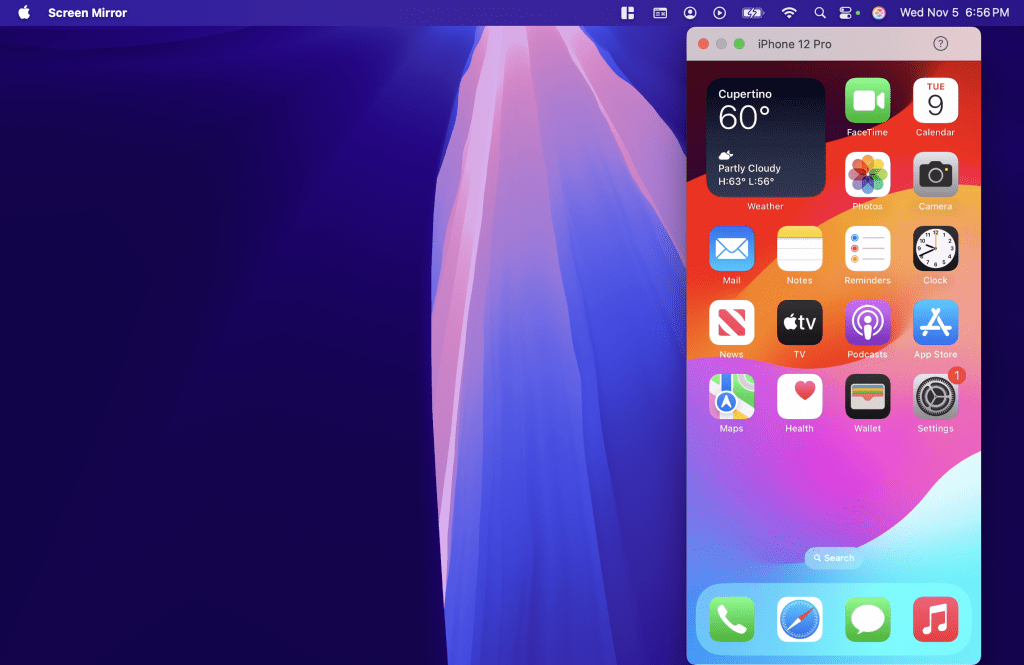
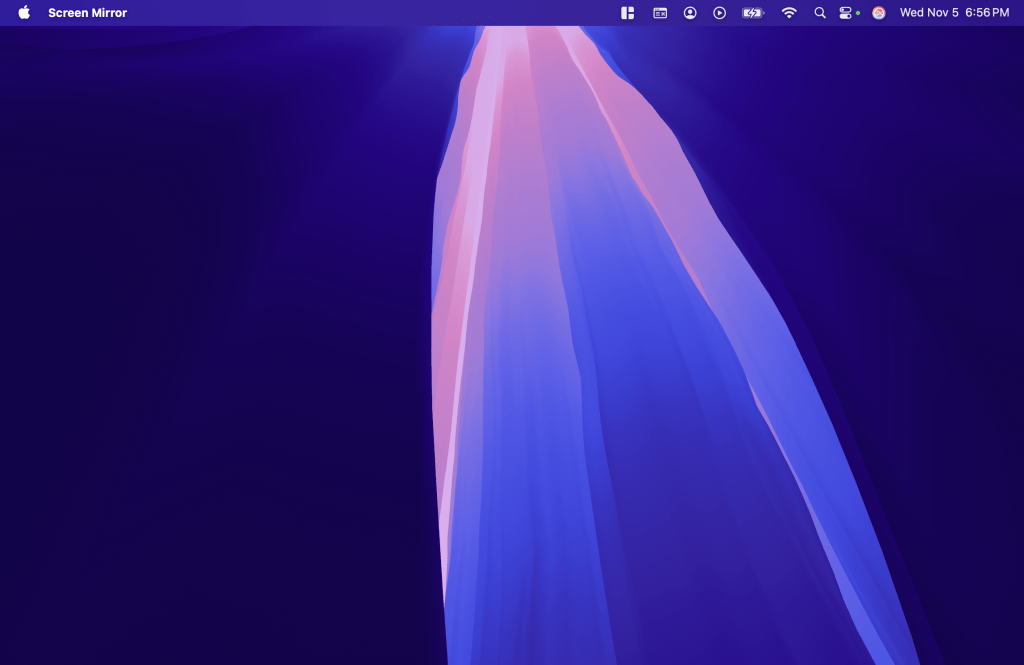
Enhanced privacy mode means that the Screen Mirror window, is not “visible” to other apps on MacOS. You the user can see the screen on the Mac, but if you share the screen with apps like Teams, Google Meet and Zoom* the Screen Mirror application will not show, its pretty magical. Try it out…
Why is this even relevant?
See my page on Why I developed the Screen Mirror App for why Screen mirror works the way it does.
I am a bit of a privacy fanatic. All my apps are privacy focused, this means that they do not have access to the internet at all. They cannot send me or anybody any data. For more details about my apps see my Privacy Policy.
Caveats
THIS IS NOT PERFECT.
The way this works is it requests any Screen Capture tools to ignore the application window. Most applications listen to this flag but there are some that don’t.
Teams and Google Meet are good citizens and will not capture these screens.
UPDATE: CAUTION: This is changing. Both Google Meet and Teams have started asking if they can bypass the windowing system and capture the screen directly. When you get that popup…say no!
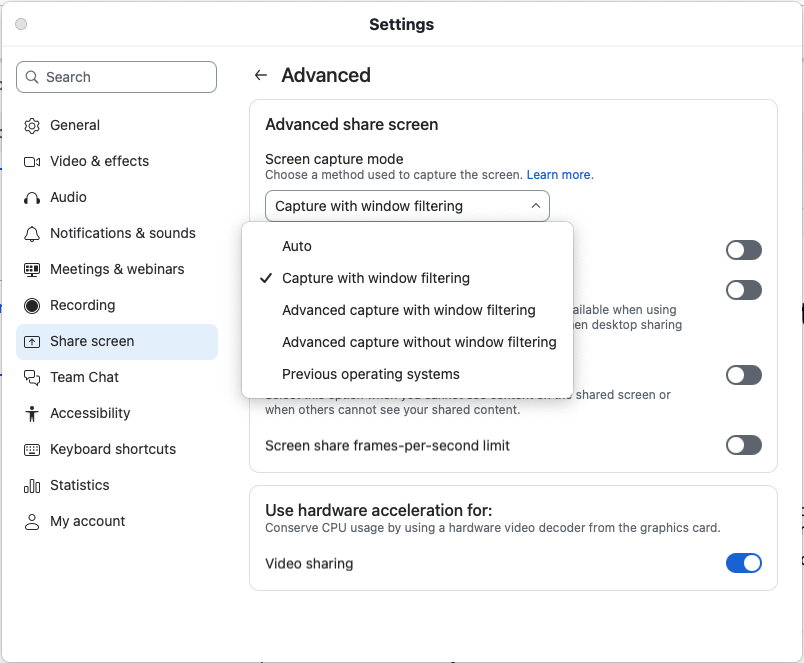
Zoom is different. It ignores the “do not capture” feature. To make sure that your Screen Mirror session is not captured. Make sure “Capture with window filtering” is the selection in Settings | Shared Screen | Advanced in the zoom application.
OR make sure you only share specific windows in a Zoom session and not the entire screen.