By Samyeer Metrani, developer of Screen Mirror
Updated September 3, 2026
TLDR
Screen Mirror already gives an AI the two connections it needs to operate a phone: a screen it can see and keyboard and mouse input it can send. USB brings the display to your Mac. Screen Mirror converts input events delivered to its window into Bluetooth events for the connected device.
Download Screen Mirror and Control on the Mac App Store.
https://apps.apple.com/us/app/screen-mirror-and-control/id1612180624?mt=12
For AI projects involving multiple devices, iPads, or the live camera, Screen Mirror offers more room to work than Apple’s iPhone Mirroring.
Projects such as mirroir-mcp already connect AI agents to Apple’s iPhone Mirroring. Screen Mirror’s broader device support makes the same idea interesting here. If you’re exploring AI control of apps or mobile games, I’m happy to discuss it at samyeer@toolbunch.com.
The phone connection is already there
I keep seeing AI agents play games, navigate applications, and operate computers. They look at a screen, decide what to do, and send an input. Then they look again.
That made me look at my own app differently.
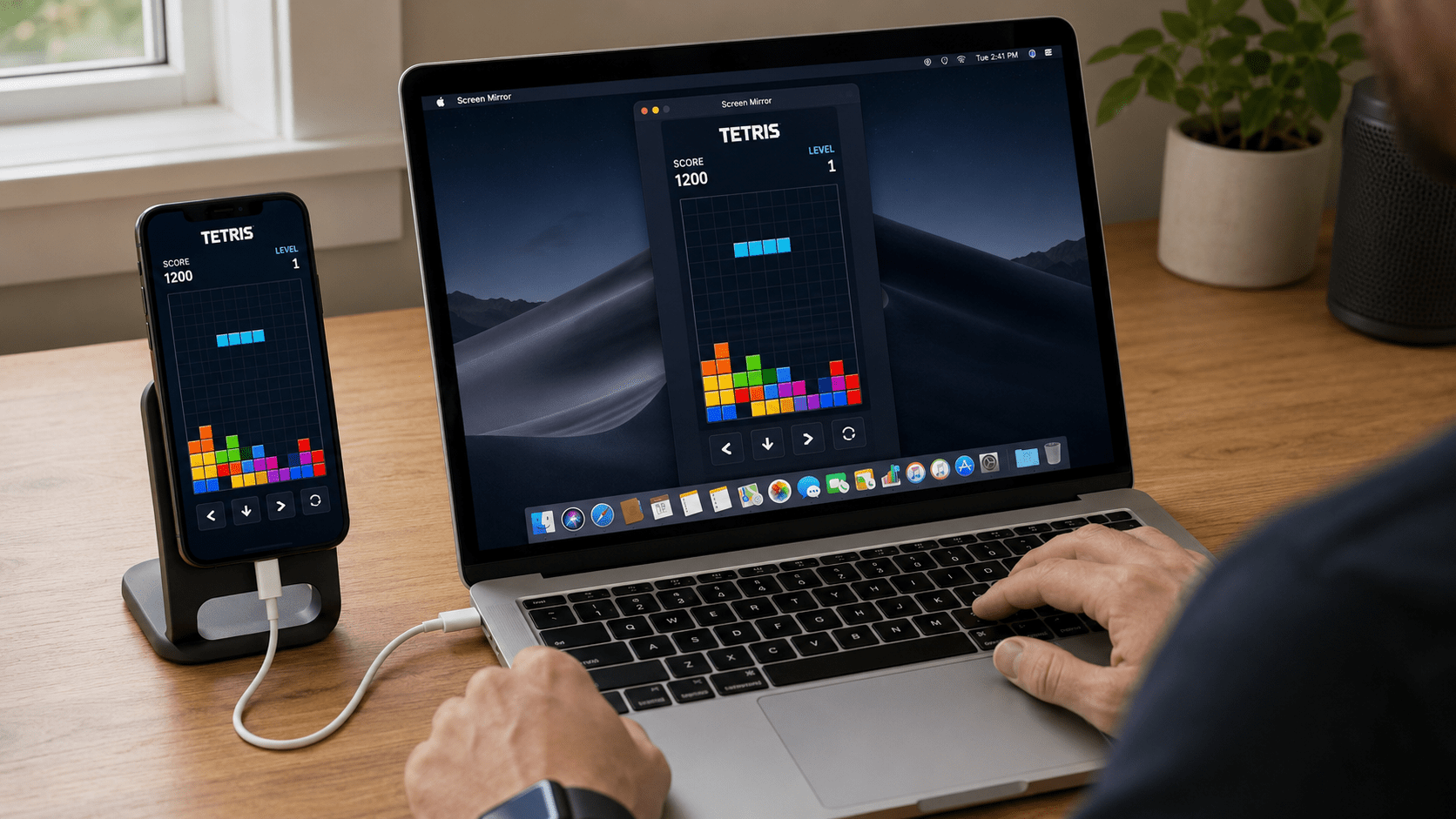
Screen Mirror already brings an iPhone or iPad screen onto a Mac and lets you operate the device with a keyboard and mouse. The applications run on the actual phone or tablet. The Mac gets a window into them and a way to control them. 1 — Screen Mirror
That is an AI harness sitting on the desktop.
If your agent can capture a Mac window and send keyboard and mouse events to it, it has a place to connect. The model can live in whichever framework you prefer. Screen Mirror handles the device-facing part: getting the screen onto the Mac and carrying the input back to the device.
I want developers to notice that this connection is available now. Bring the agent and give it something useful to do.
Why Screen Mirror offers more than Apple’s iPhone Mirroring
Apple’s iPhone Mirroring is a convenient way to use your personal iPhone from your Mac. An AI experiment can ask for more: several devices on a desk, an iPad running a different interface, or an application that needs the camera.
These are the situations where Screen Mirror is a better fit.
| Capability | Screen Mirror | Apple iPhone Mirroring |
|---|---|---|
| Multiple devices | Multiple connected iPhone and iPad windows | One iPhone at a time |
| iPad support | Yes | iPhone only |
| Live Camera app | The camera preview remains available | Camera access is unavailable |
| Apple Account relationship | Uses USB trust and Bluetooth pairing | Mac and iPhone must use the same Apple Account |
These differences are documented in the Screen Mirror product comparison and Apple’s requirements and limitations. [2, 3]
Several devices change what you can build
Screen Mirror supports multiple connected devices, with their displays available on the Mac. That gives a developer a useful starting point for tasks that involve more than one screen. 1 — Device support
Think about testing a shared application. One device creates something; another checks that it appears. An iPhone changes a setting; an iPad shows the result. Two players join the same session, and an agent observes both sides.
Those are examples of agent workflows to build around the existing device connections. An agent can use those windows to choose the device to act on and inspect the others for the result. The agent’s scheduling and input routing still need to be designed, but the devices can already be present together.
For a developer working across phones and tablets, that is a much more interesting workspace than a single phone screen.
The camera brings the physical world into the task
Screen Mirror can display the iPhone’s live Camera app. Its Rotate Camera feature also lets you present the camera view in landscape on the Mac. 4 — Camera support
That matters to me because so much of my work connects software to hardware.
Imagine an agent testing a camera-based application with a real object in front of the lens. Or an agent operating an app on one phone while another phone’s camera watches the connected hardware. A button press in the app could turn on a light, and the camera could show whether the light actually changed.
The physical response becomes something the agent can observe through a second window. That is a useful experiment to build with equipment many developers already have.
Apple explicitly excludes camera access from iPhone Mirroring. Screen Mirror keeps that possibility open. 3 — Apple’s camera limitation
iPad applications belong in the picture
An iPad application can have a different layout, different navigation, and a different purpose from its iPhone counterpart. Testing one does not tell you everything about the other.
Screen Mirror brings both onto the Mac. That lets a developer give an agent a tablet interface to explore, compare an app across form factors, or work with software designed primarily for the iPad. The same broad interaction model applies: observe the window and send input to the selected device. 1 — iPhone and iPad support
There is also a practical advantage for shared equipment. Screen Mirror’s connection uses device trust and Bluetooth pairing, so the test devices do not all need to share the Mac’s Apple Account. 2 — Connection differences
An interesting connection with mirroir-mcp
The open-source project mirroir-mcp already connects AI agents to a real iPhone through Apple’s iPhone Mirroring. It exposes tools for observing the screen, tapping, swiping, and typing through MCP, the Model Context Protocol used by many agent clients. [5]
That caught my attention. The project also documents experimental support for other macOS windows and tools for selecting between targets. It makes me curious about what those tools could do with Screen Mirror’s multiple device windows and camera support. 5 — Current project capabilities
There is a natural overlap here: an agent that understands a mirrored interface, and an app that already brings real devices onto the desktop. Compatibility with Screen Mirror still needs to be explored, particularly how the input methods line up, but the pieces are interesting to consider together.
For me, projects like this make the opportunity tangible. The agent tools exist, the device connection exists, and there are plenty of useful things to try with them.
People are already asking for this connection
A developer in the pymobiledevice3 project asked whether Apple’s mirroring capabilities could become a programmatic input interface, giving iPhone automation flexibility comparable to Android’s ADB. An iPhone owner on Reddit asked about AI operating across apps and specifically mentioned MCP-style tools. 6 — Developer request · 7 — User request for AI control
An older question, “Mirror AND Control iPhone from Mac,” describes an equally recognizable frustration: the picture works, but the Mac’s mouse cannot operate the phone. 8 — Original question
These people have different goals, but each needs an input connection as well as a visible screen. Screen Mirror already provides both. An agent integration makes that connection useful to another group of developers.
There are real examples of what follows. DeepMind’s SIMA work uses screen observations and keyboard-and-mouse actions to operate games. Callstack describes Expensify using agent-device to reproduce mobile bugs and collect before-and-after recordings. These projects use their own tools, but they demonstrate the value of giving agents access to the interface they are working on. 9 — SIMA 2 · 10 — Expensify’s mobile workflow
Bring the game you want your AI to play
Tetris is in the featured image because the idea is easy to recognize: the game runs on the iPhone, the same board appears on the Mac, and the player uses the keyboard.
The choice of game is yours.
I’m interested in hearing from developers building agents for mobile games, whether that means solving a puzzle, exploring a strategy game, testing their own game, or studying how an agent learns from visual feedback. Multiple device windows also make experiments with more than one player worth exploring.
The game still determines which inputs it accepts, and fast games put demands on the agent’s response time. The useful starting point is a real device with a working display and input connection. Screen Mirror already gives you that.
If mobile game control is what you’re working on, I want to hear about the game you’ve chosen and what you want your agent to do.
Keyboard and mouse control are already part of the app
There are a few device settings worth knowing about, especially if you have only used Screen Mirror to display a screen.
Full Keyboard Access adds navigation between controls. On iPhone, it is under Settings → Accessibility → Keyboards & Typing → Full Keyboard Access. Tab moves focus, Space activates the selected item, and the Commands page lets you customize the shortcuts. 11 — Apple’s keyboard guide
iPhone mouse control uses Settings → Accessibility → Touch → AssistiveTouch. Enable AssistiveTouch, then turn Always Show Menu off. The floating menu hides while a pointer is connected, and mouse control stays enabled. iPad has ordinary mouse support built in, so basic pointer use does not require enabling AssistiveTouch. 12 — AssistiveTouch settings · 13 — iPad mouse support
Screen Mirror uses Control + Option to switch mouse control between the Mac and the device. The setup guide covers the USB and Bluetooth connections. For an agent to capture the window, turn off Enhanced Privacy. Keyboard and mouse control is unavailable on macOS Ventura 13. 14 — Capture visibility · 15 — Bluetooth compatibility
Tell me what you’re building
I built Screen Mirror to make real devices easier to use from a Mac. Seeing what developers are doing with AI agents gives that existing connection a whole new set of possibilities: applications, games, cameras, and workflows that involve several devices.
If you’re exploring any of this, email me at samyeer@toolbunch.com. I’m happy to talk about your idea, how Screen Mirror handles input, or what you’ve already tried. I’m especially interested in hearing from people working on AI control of mobile games.
Screen Mirror already gives you the screen and the controls. I’m curious to see what you put on the other end.
References
- ToolBunch. Screen Mirror: iPhone and iPad display and control.
- ToolBunch. What’s different from iPhone Mirror.
- Apple. iPhone Mirroring: requirements, device limits, and camera restrictions.
- ToolBunch. View the iPhone Camera in Landscape on your Mac.
- jfarcand. mirroir-mcp: project, tools, and experimental Mac-window support.
- pymobiledevice3, GitHub discussion #1216. Request for programmatic control through iPhone Mirroring. September 26, 2024.
- Reddit, r/iphone. An iPhone owner asks about AI control across iOS.
- Reddit, r/Vysor. Mirror AND Control iPhone from Mac. Historical question, 2022; predates Apple iPhone Mirroring.
- Google DeepMind. SIMA 2. November 13, 2025.
- Callstack. Expensify’s use of agent-device for mobile bug evidence and profiling. June 26, 2026.
- Apple. Control iPhone with an external keyboard.
- Apple. Use AssistiveTouch on iPhone.
- Apple. Connect a Bluetooth mouse or trackpad to your iPad.
- ToolBunch. Screen Mirror: Enhanced Privacy.
- ToolBunch. Bluetooth keyboard support and the Ventura restriction.